From Music Streaming to Local Files (Updated 2025-07-31)
Over the last few weeks, I’ve been pretty much switching fully to local files on my PC after using Spotify as my streaming service of choice for many years. In this blog post, I’ll talk about my reasons and how I do it, together with the advantages and disadvantages of this approach to listening to music.
Why?#
I’ve been using Spotify as my main way of listening to music since around 2016 up until recently. Spotify has been a bad company for a while but the recent events with the CEO investing 700 million dollars into AI military drones gave me the rest and I get why certain artists are pulling their music off the platform. The ability to have unlimited access to pretty much most of the music that exists is very impressive, but the constant pop-ups, playlists made by algorithms, the overall distracting feed, and rising prices have always been kinda bothering me.
Advantages#
One of the main reasons I switched is because it makes listening to music feel way more intentional since I purposefully downloaded everything myself and know what I have. In my opinion, it’s also nice to be able to choose the way you want to sort, name, and tag the music you have, and I personally enjoy the process of doing that. Here are some examples of the naming conventions I use:
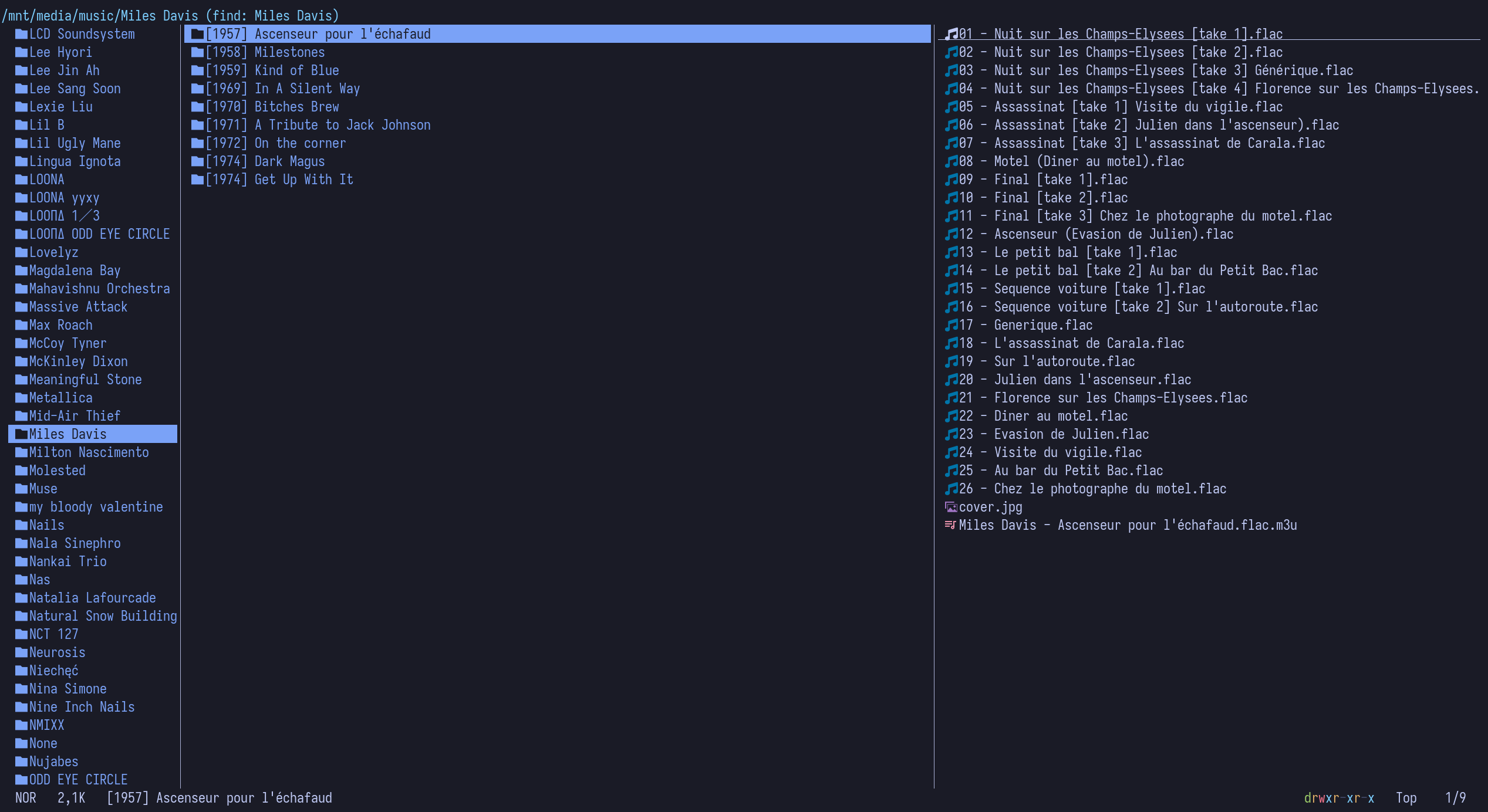
Since I have everything locally, this music doesn’t go anywhere, and I’ll be able to keep it forever (well, except if my hard drive dies and I didn’t do a backup), and nobody can randomly take albums off my platform like what happens on Spotify sometimes. Another plus point is, of course, sound quality since Spotify is capped at 320 kbps. I know that this might not be a huge selling point for some people since a lot can’t hear the difference between 320 kbps MP3s and CD quality FLAC, for example. Whether the difference really matters is a debate, but if it’s more fun, I don’t think it really matters. I usually just stick to CD quality FLACs (16-bit 44.1 kHz) because I personally don’t think Hi-Res makes that much of a difference and is worth almost doubling the file size. I also think just having the option to choose what file format or quality you want to use is quite nice.
Additionally, you can basically do all this for free (while not necessarily legal) and don’t need a subscription if you don’t want to.
Disadvantages#
The biggest thing you’re giving up is obviously convenience since this is the main reason why streaming services are so popular to begin with. This is also the reason why I still keep a Spotify subscription, which I mainly use on my phone when I want to listen to something spontaneously on the go and don’t have the files ready. Depending on what method you use to get your local music, you also might have to wait longer to obtain new music because on streaming services it’s just instantly there. Downloading everything yourself is also just way more effort than just searching for an album and listening to it. If you care about sound quality too, other streaming services like Tidal, Qobuz, Apple Music, and Deezer that offer lossless music are always an option in that case.
How?#
Listening#
I currently mainly use a combination of MPD (Music Player Daemon) and RMPC (Rusty Music Player Client), which is a client for MPD, at the moment, but there are tons of music players out there. I like this approach because it’s pretty minimal and very customizable, but I don’t want to go into that much detail (maybe in another blog post).
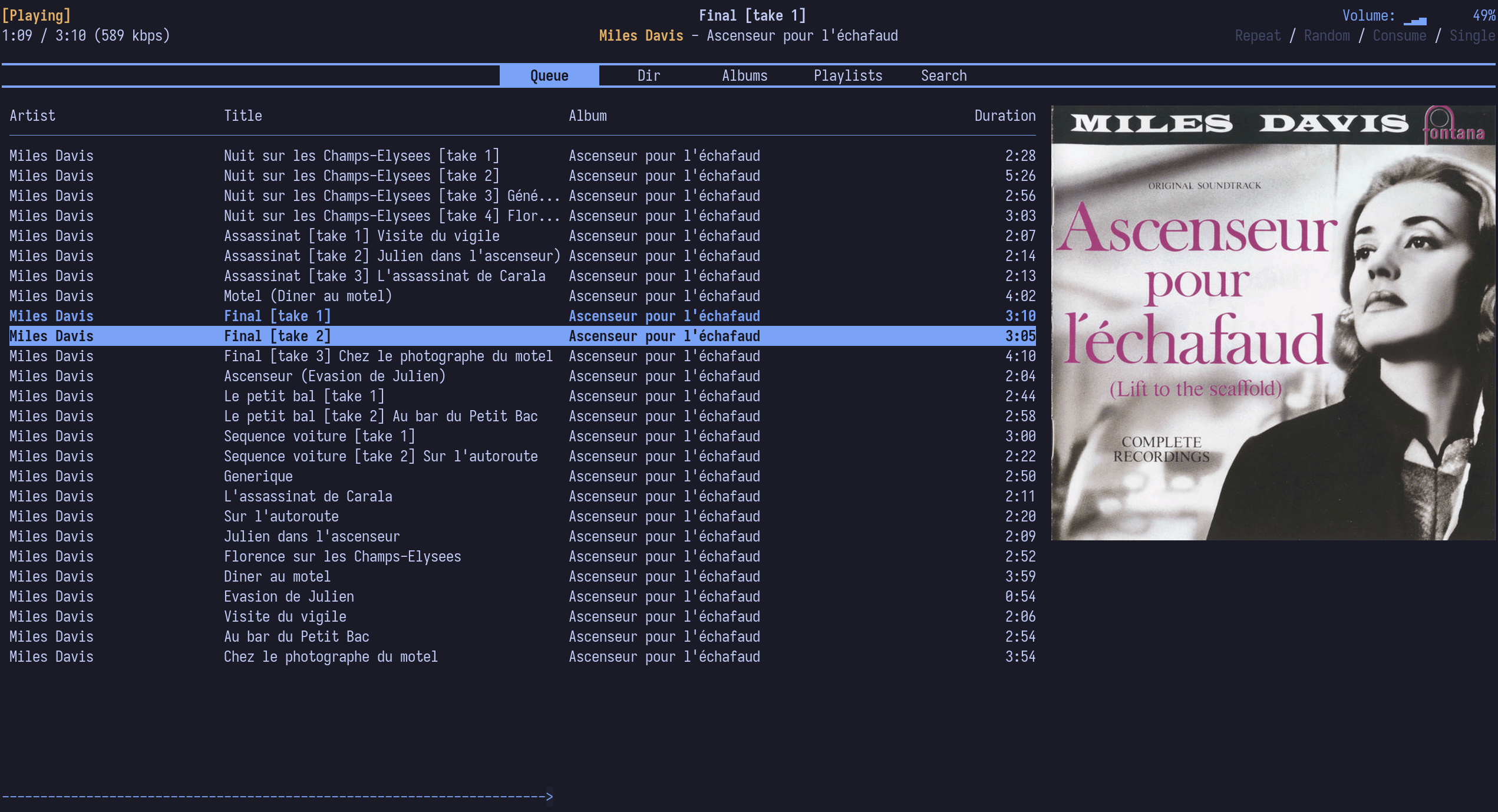
If you’re on Linux like me, I can also recommend ncmpcpp, which is another MPD client, or just standalone music players like DeaDBeeF, Strawberry, Tauon, and many many more. If you’re on Windows, just use Foobar2000 or MusicBee. If you don’t care about any of the extra features these music players offer, just MPV and VLC get the job done as well.
Obtaining#
You might be wondering how I get my music since this is kinda the whole point
of this post, so here are a few options.
Tip: Logging music with Last.fm and
RYM has made it way easier to remember all the
music I enjoy.
CD#
Probably the most boring option here, but buying used CDs and ripping them is usually pretty cheap and even cheaper than a lot of digital options. I personally just get my favorite albums on CD as well because it’s nice to collect, and I get the music in high quality. You can get them from platforms like Ebay or Discogs, or if you live in Germany like I do, other good options are Kleinanzeigen, Medimops and ReBuy.
Buying Digitally#
The main options I know and have also used are Bandcamp and Qobuz. Bandcamp is probably the best option to actually support the artist when buying an album digitally, but you can also buy physical albums on there if the artist offers it. You can get files in very high quality there too and they often even offer Hi-Res options if you care about that. Since Bandcamp is mostly for indie artists and especially a lot of more popular music is not on there, Qobuz is another option. Mainly known for being a Hi-Res streaming service, they also offer a download store where you can just buy the albums themselves. They usually offer CD quality, and for a higher price, you can also get Hi-Res versions up to 24 bit 192 kHz (who needs that???). As I mentioned before, a disadvantage these digital stores can have is that it’s sometimes just very pricey, and even physical albums can be cheaper, especially if you can get them used.
Ripping From Streaming Services#
Okay, now we’re entering the probably not-so-legal area of obtaining music. There are multiple options for this, but the one I use is called streamrip. This is a scriptable stream downloader written in Python that lets you rip music in the best possible quality from streaming services like Qobuz, Deezer, Tidal, and Soundcloud. To be able to use it though, you have to be subscribed to the streaming services, but free trials work as well. If you want to just rip from Spotify instead, you can use spotify-download, but it’s just not the best quality available, so I personally never used it. There are probably tons of other options, but you can do your own research if you need any additional software to do this stuff.
Soulseek#
Besides ripping from Qobuz with streamrip, Soulseek is another main method of mine for obtaining music. It is a free and ad-free peer-to-peer file-sharing network where you can download and upload music from/to other users. So this method is completely community-based and has to be kept alive by people just sharing their local music. The reason why it’s one of the best options out there is because you can mostly find anything on there. I’ve never really had a problem finding an album there, except for maybe a new album that just released. I personally use Nicotine+ as an alternative frontend because it just looks nicer and is better to use. Make sure to use a VPN while using Soulseek if your country cares about piracy.
Torrenting#
I personally don’t use it much, but torrenting is always an option but just might not be the fastest. Since I don’t really use it, here’s a link if you want to read more about possible options: https://fmhy.net/audiopiracyguide#audio-torrenting. Make sure to use a VPN here as well.
Conclusion#
Personally, I really enjoy the local music library approach since it gives me more control and I enjoy the process. But giving up the convenience is not for everybody, so streaming services are always a valid option in my opinion, which is why I still use Qobuz as a streaming service when I need to since I already pay for it for ripping.